Common Party Accounting in ERPNext
Learn how ERPNext simplifies accounting when the same business acts as both a customer and a supplier using Common Party Accounting.
Introduction
As businesses grow, it is common for the same organization to become both a customer and a supplier. For example, a distributor may purchase raw materials from a company while also supplying finished goods back to the same business. Maintaining separate receivable and payable balances for the same party often creates reconciliation challenges and additional manual work.
ERPNext addresses this scenario through Common Party Accounting, helping finance teams manage these relationships efficiently while maintaining proper accounting records.
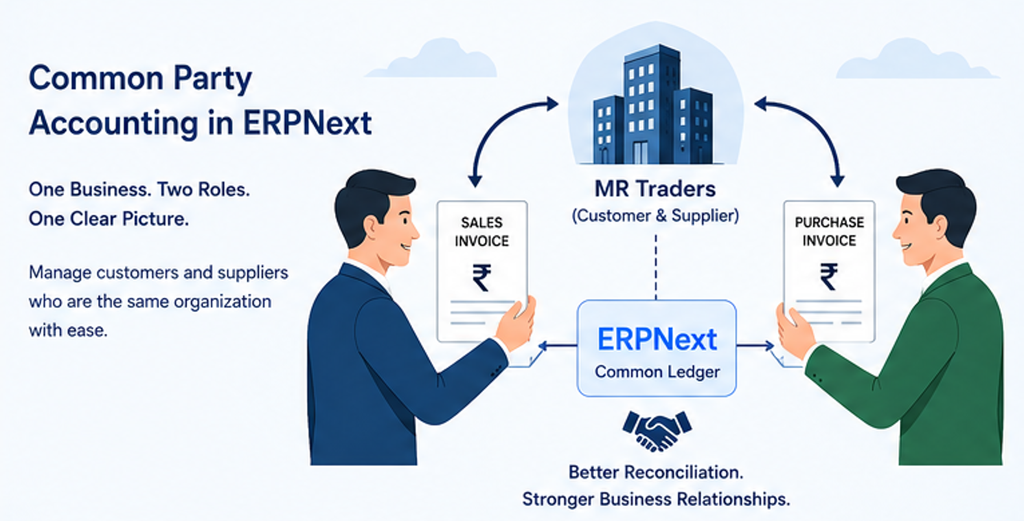
What is Common Party Accounting?
Common Party Accounting allows businesses to manage situations where one organization acts as both a Customer and a Supplier. Instead of treating these relationships independently, ERPNext provides a structured way to link them so finance teams can reconcile transactions more effectively.
When Should You Use It?
• Dealers who both buy and sell products
• Contract manufacturers
• Trading companies
• Distribution businesses
• Franchise operations
• Strategic business partners
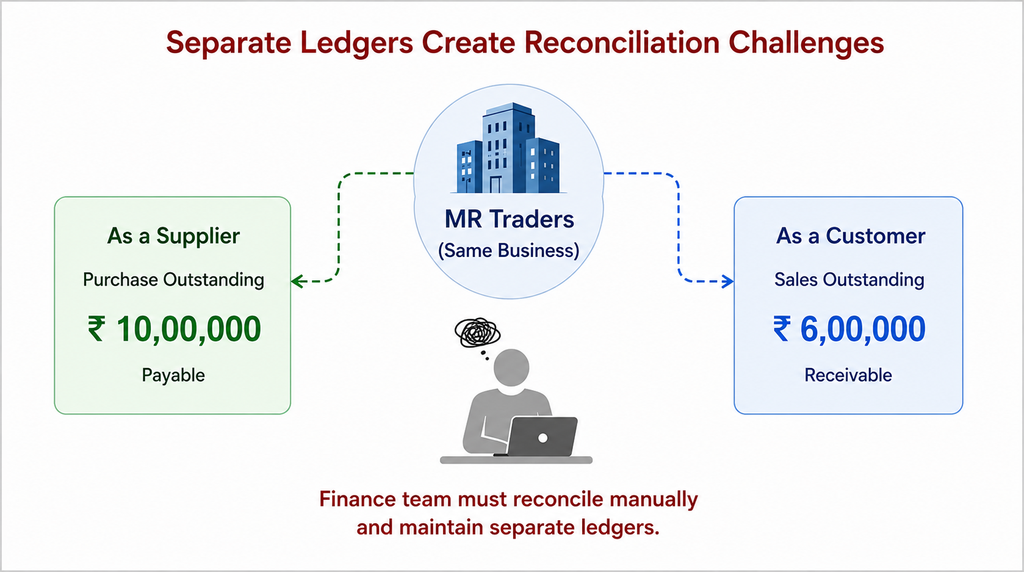
Why Separate Ledgers Become Difficult
Example:
Sales Outstanding: ₹7,50,000
Purchase Outstanding: ₹2,25,000
Without Common Party Accounting, finance teams must reconcile separate receivable and payable ledgers manually.
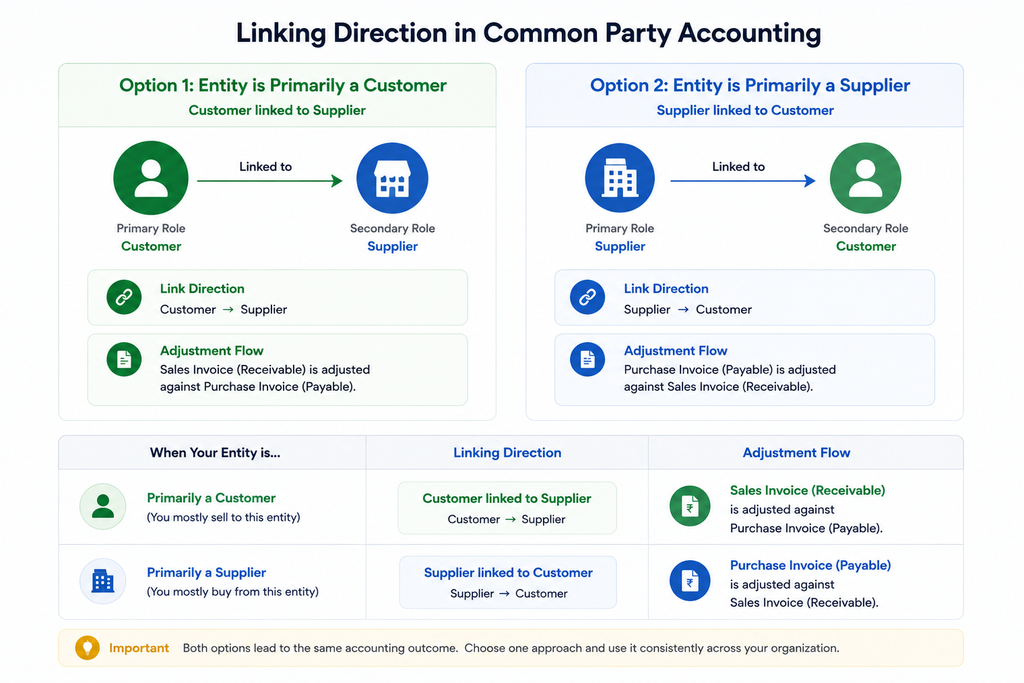
Understanding the Linking Direction:
ERPNext allows either the Customer to be linked to the Supplier or the Supplier to be linked to the Customer. Both approaches produce the same accounting outcome. The only difference is which party you treat as the primary record and which outstanding document is adjusted during settlement. AS shown in below image, either purchase invoice or sales invoice is adjusted according to the primary role of entity. You should always choose only one approach to not create any confusion in accounting.
How ERPNext Helps
ERPNext allows Customer and Supplier records to be linked to the same business entity. Finance teams can then manage receivables and payables more efficiently while maintaining proper accounting records.
Typical Process
Step 1: Enable Common Party Accounting.
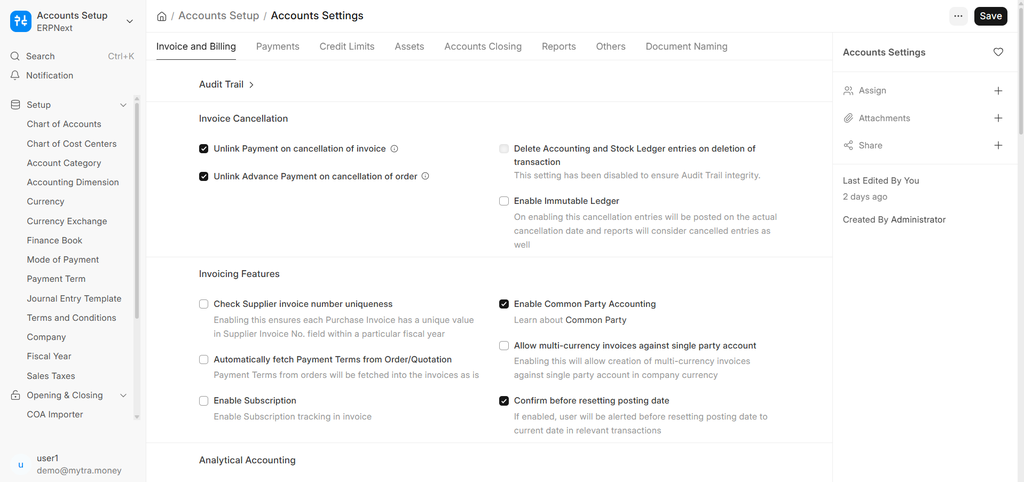
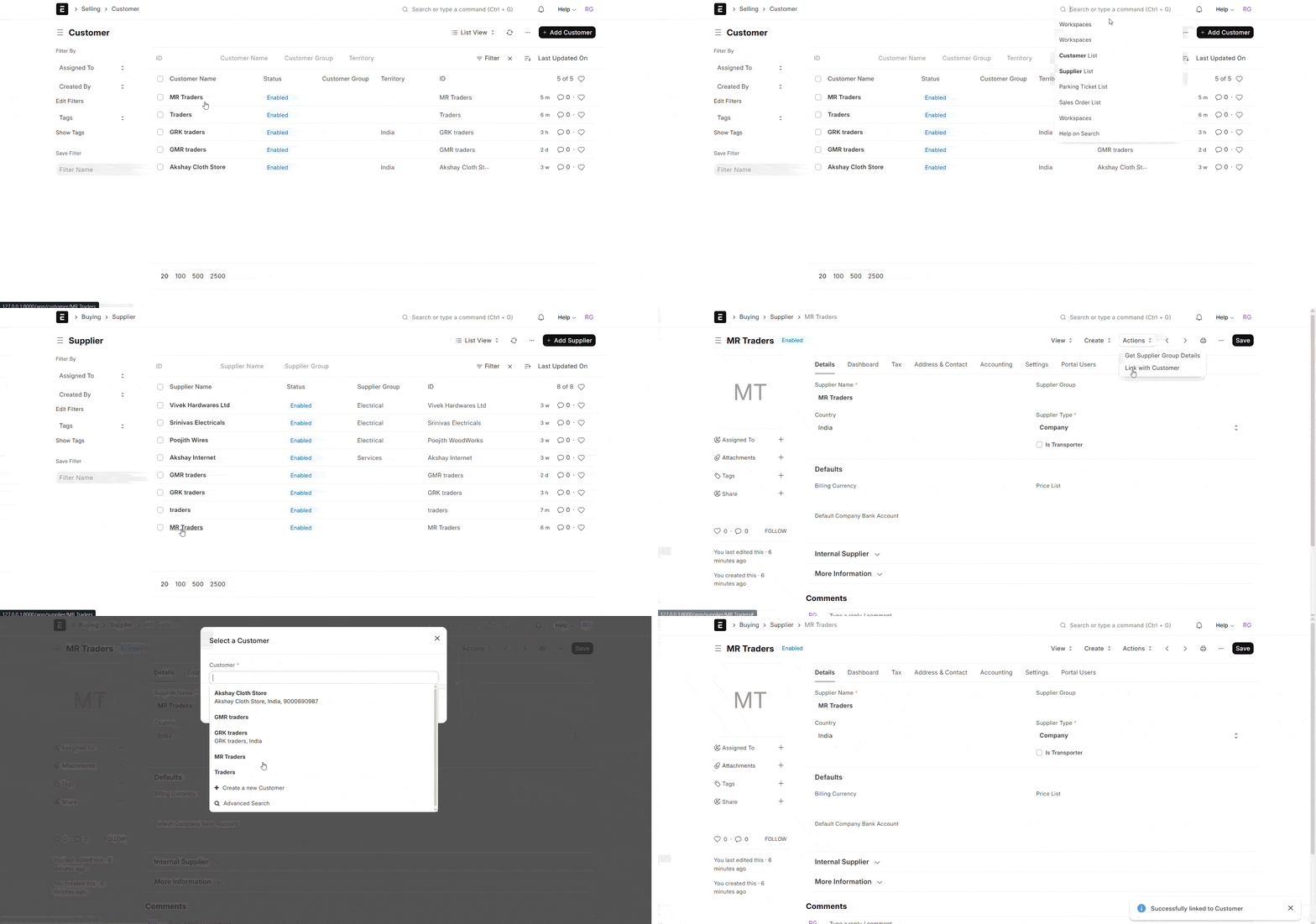
Step 2: Create Customer and Supplier for the entity. Based on the primary role of the entity link them as shown in below GIF.
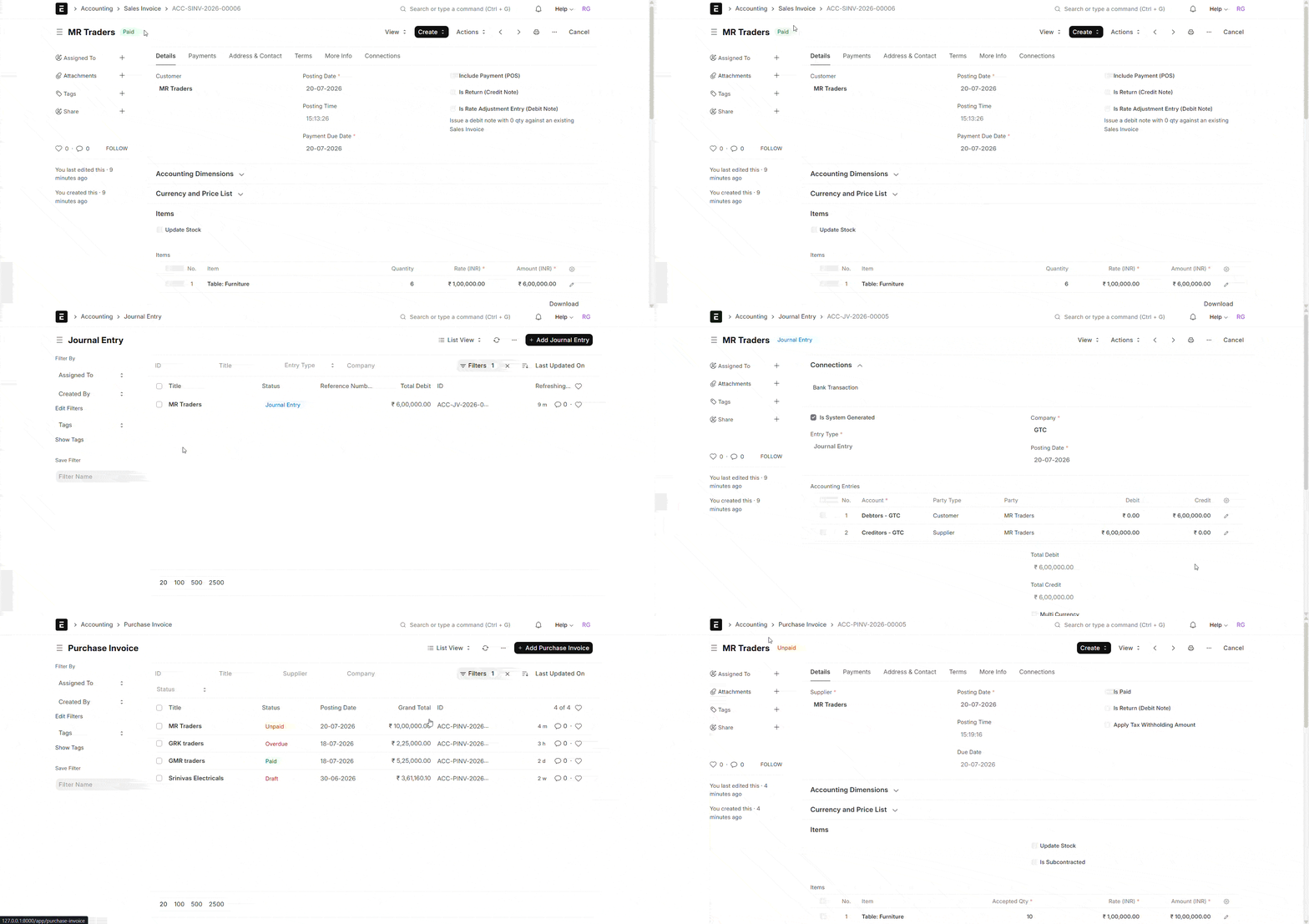
Step 3: If the primary role of the entity is 'Supplier', then all the sales invoices generated against the customer are marked as 'paid' after a journal entry is automatically created. Purchase invoices generated against the supplier are marked 'unpaid' and adjusted manually through payment rencociliation.
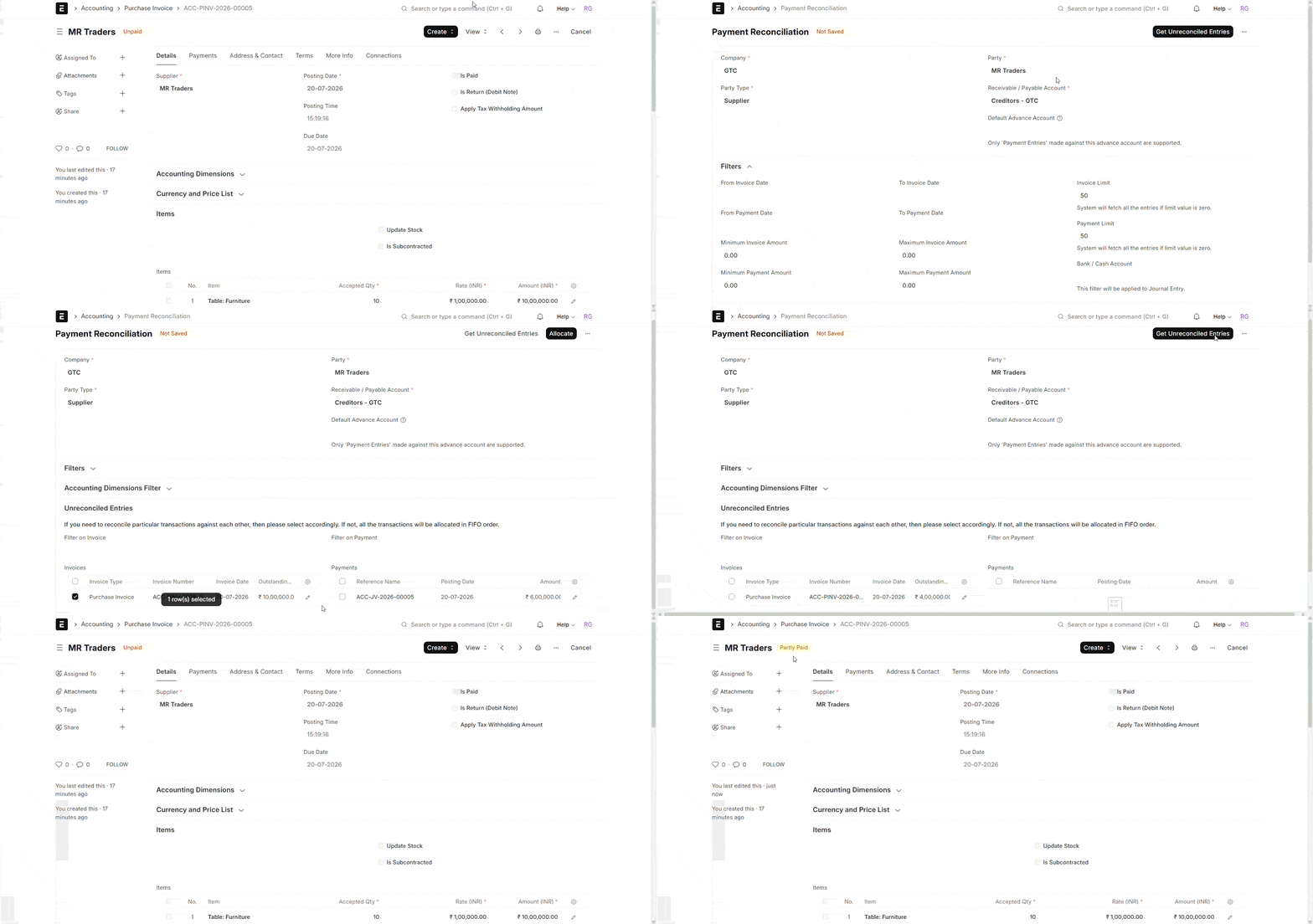
Step 4: The below GIF shows reconciliation. The primary role of the entity is choosen as party type and the unreconciled invoices of the party are shown. select the invoices and the payments which should be adjusted to them and click 'allocate'. Now the payments are allocated to those invoices and now click 'Reconcile'. Reconciliation is completed and when you check purchase invoice, it is partially paid.
Benefits
- Easier reconciliation
- Better visibility
- Reduced duplicate records
- Faster month-end closing
- Fewer manual adjustments
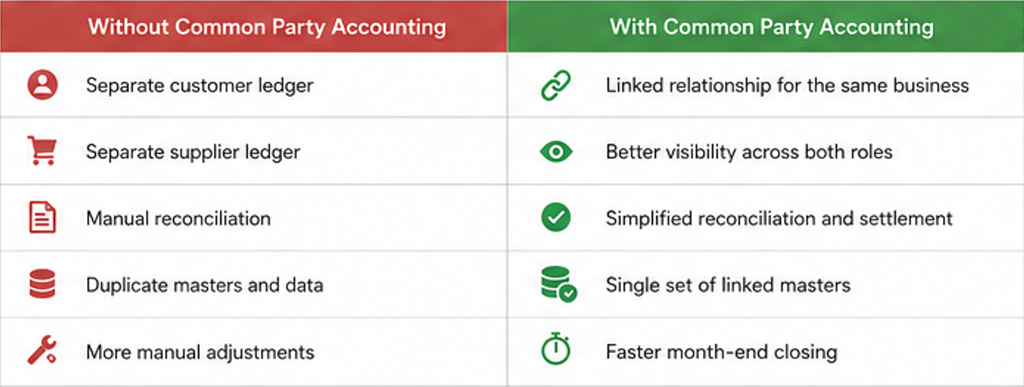
Comparison Table
Best Practice
- Use Common Party Accounting only when the same legal entity acts as both a customer and a supplier.
- Maintain accurate and updated Customer and Supplier masters.
- Reconcile and settle balances regularly.
- Review outstanding balances before year-end closing.
Common Mistakes
- Creating duplicate Customer and Supplier masters.
- Linking the wrong parties or entities.
- Using manual journal entries for adjustments instead of proper settlement.
- Ignoring tax implications (GST, TDS, Withholding, etc.).
- Not reconciling balances regularly.
Conclusion
When a trading partner is both a customer and a supplier, maintaining separate ledgers increases accounting effort. Common Party Accounting in ERPNext helps finance teams reconcile transactions more efficiently while maintaining accurate financial records.

No comments yet. Login to start a new discussion Start a new discussion